I use my beloved 3D printers Elegoo Saturn and Mars to produce various functional components. However, resin is usually not the ideal material for me as I need stronger, less brittle or flexible components. Therefore, most of the time I print molds and cast my components either out of polyurethane or silicone.
Let me show you the easier of the two – silicone molding – in this post. I will demonstrate it on piece I designed last week – the cleaning kit for Elegoo Saturn’s resin vat.
The component
Swapping resins is not a pleasant experience. Evertyhing that touches resin becomes sticky and potentially iritating for your skin. On Mars, I bought multiple 6 vats and avoided swapping resins if possible. However, Saturn vats are not available for purchase yet.
The design of the vats is not ideal for pouring – it does not feature a single sharp pouring edge which does not drop. Instead, if you pour the resin, it will flow on the outside walls of the vat, making it messy. So there is the obvious solution – let’s attach a spout that will direct the resin and also, it will feature a sharp pouring corner that does not allow the resin to flow on the walls.
TLDR: If you are here to make your Saturn silent and you don’t care about the details, scroll down to the last section “Do you also want to have a silent Saturn?”
In May 2020 I got lucky – I managed to get Elegoo Saturn in the first batch of preorders. After some hassle with the shipping, I finally received it in mid-October.
Since then, I printed over 12 kg of resin on it. My impressions? The build volume is enormous and the printer prints nice. When I will finally build a proper fully-automatic washing station, I guess FDM printing will be dead for mi. However, I have to say: the machine is not perfect and it has some flaws (more about them later on the blog), but it is wonderful what the engineers at Elegoo were able to design for 500 €! I truly admire them for it. I guess you could not get a better 3D printer at that price tag.
Elegoo Saturn is noisy
I live in a flat and I have my printers in my workroom. Therefore, I was quite disappointed with the fact that Saturn is quite loud. The noise is disturbing. I have no proper decibel meter, but according to an Android app, it is about 54 dB (usually classified as an “office level of noise”).
I have already experimented with making the screen monochrome, however, due to lack of resources (dead screens) I abandoned the idea. The second way is to tune the light source. You can already buy LED lamp replacement, but what hobby would it be if just bought everything? Also, their parameters are not as good as my aims.
One disclaimer – the whole build was performed during the lockdown period during COIVD-19 outbreak, so many manufacturing and supply options were limited. Therefore, some of the approaches presented in this post are rather hacky and I would make them differently during normal times.
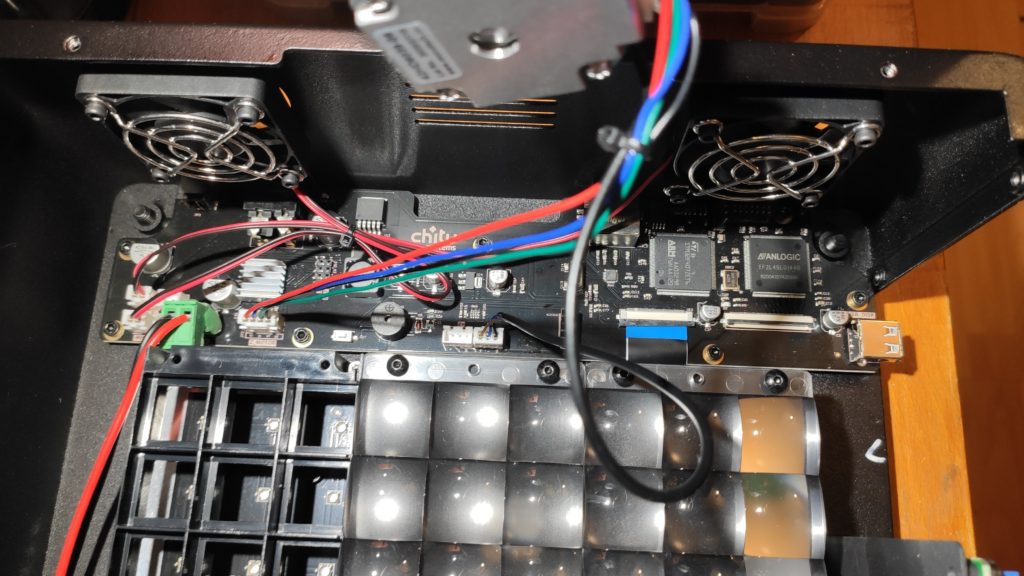
I decided to build a 7×4 LED array. The reason for going for such a high number of LEDs is to limit their radiation cone – the goal is to produce as parallel rays as possible. With fewer LEDs, I would need a wider cone. When you have rays under an angle, it leads to a side exposure and imprecisions in the print. I used LG6565 – 10W LEDs which emit peak wavelength 405nm. That’s 240 W. Original Mars is roughly 30 W.
I created a simple PCB. I used copper-clad with an aluminium substrate to provide better cooling. Normally, I would buy sodium persulfate and etch the board. However, during COVID outbreak all the drug stores were closed so I just cut the board with an X-acto knife and peeled the excessive copper. Soldering the LEDs on the aluminum substrate was not an option and reflow oven was out of the reach – so I just cut pieces of solder wire, put them on the PCB, put some flux on it, and put it on a gas stove on a thick piece of steel. After 2 minutes, the solder melted, the LEDs nicely arranged. After attaching some wires, the PCB was ready. To improve the cooling I also mounted a beefy heatsink to the backside of the PCB and I added two 60 mm quiet fans.
To drive the LEDs, I decided to go with a separate power supply. I used a switching boost constant-current DC/DC converter bought on Aliexpress. I decided to power it from 24 V to make it as efficient as possible. I added a MOSFET for switching the LEDs. To make things simple, I attached wire on the gate of the original on-board MOSFET for LED switching. One note – the LED array is really bright! There was also a lot of heat coming out of it – but not the excessive heat in the heatsink – the blue light itself carries a lot of energy and you could feel warm even when you put your hand nearly meter from it.
Drawing the PCB layout by hand
I didn't have single clad large enough, so the final panel is composed out of two pices
COVID outbreak = no chemicals available. Trying to make PCB by cutting the pattern
Cutting the PCB and peeling the copper is surprisingly easy
Recently I got in touch with the customer support of Siraya Tech – my favorite resin brand. I love their Fast Grey resin – it is easy to work with, it is low viscosity resin, which is not brittle. The only downside is that you cannot easily buy it in Europe. I hope it will change soon!
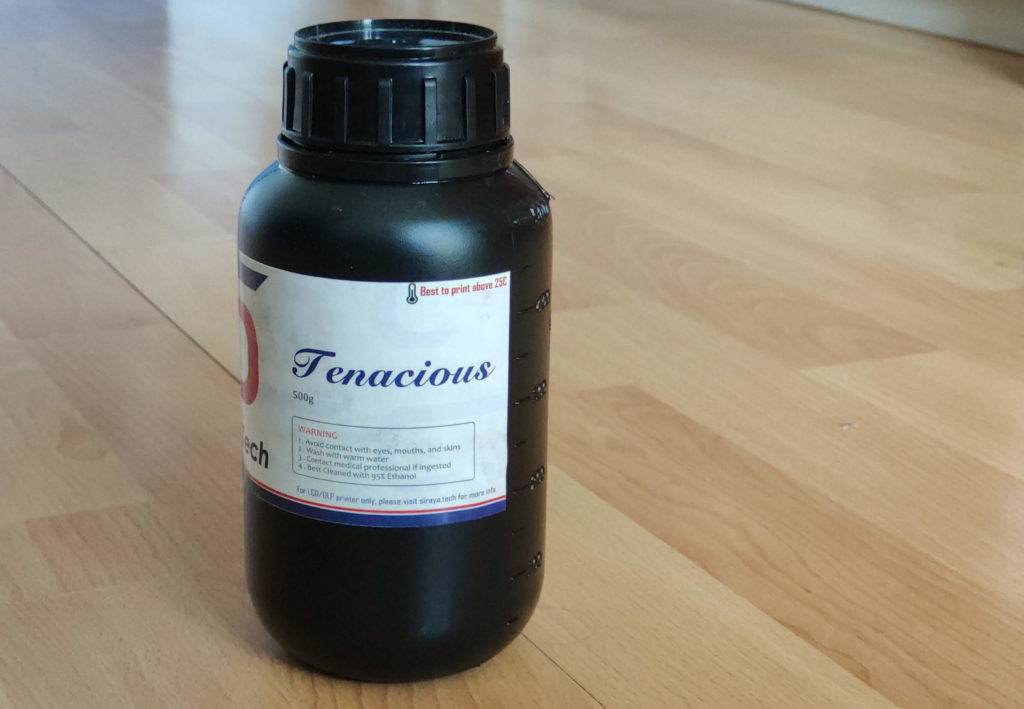
They offered me to test their Tenacious resin – the resin I wanted to try for a long time. You can find a lot about the resin on line. But I wanted to have the first-hand experience.
The resin comes in 500g bottles
Tenacious is marketed to be flexible, rubber like with high impact resistance. The exact opposite you are used to with standard resins like Elegoo or Anycubic.
The resin is light yellow and semi-transparent. When you open it, it smells similar to Siraya Blu. The smell isn’t bad – to be honest, I find it quite pleasant. It is is a viscous liquid.
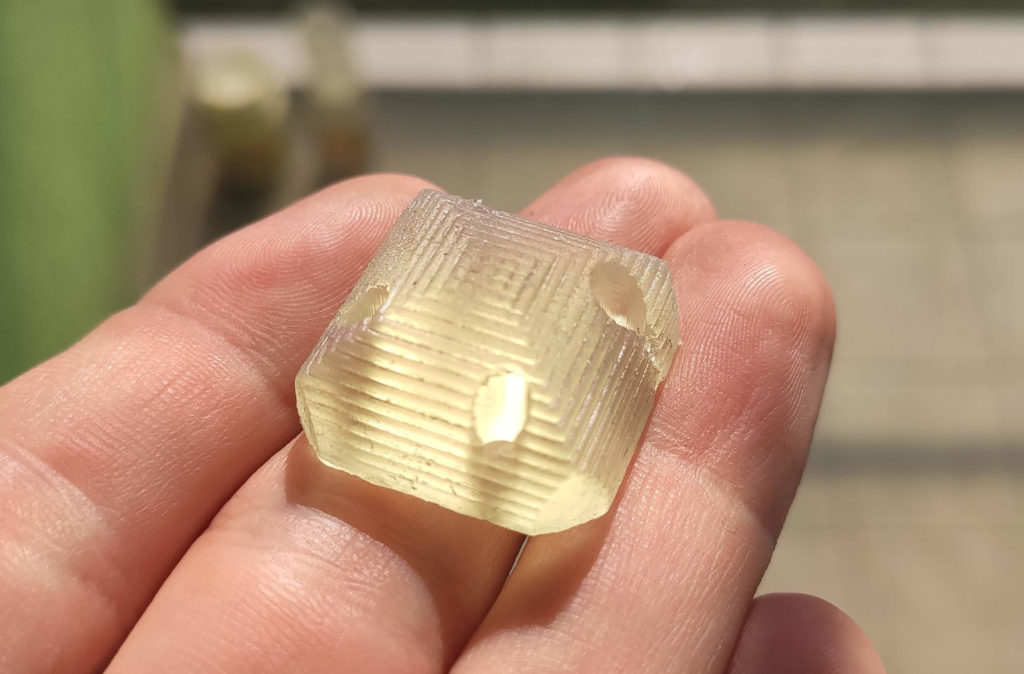
To test it, I decided to print tips of legs for a walking robot. The tips should be soft and provide friction for the legs to not slip on the floor. Since Tenacious is marketed as rubber-like, I thought it could be a suitable option. The resin was easy to print on my Elegoo Mars and the prints came out great. However, I was disappointed with the results. The parts were quite hard and did not provide enough friction. Even when I hollowed them to have a 3mm wall, a 2mm wall, and a 1mm wall they were still too hard for this application. And too slipper. Note that this is not the fault of the resin, rather my mismatched expectations. I revisited all the reviews and videos about tenacious and I found the cause of my mismatched expectations – when you see tenacious prints to be flexible, they are really thin lattice structures. Not beefy pieces.
A month ago I experimented with a flexible build plate on Elegoo Mars – see the previous blog post. It gave promising results, so I decided to design it properly.
First of all – why flexible and removable build plate? There are three reasons:
you can take the sheet off, bend it at peel the prints really easily. No more spatula scraping and breaking prints from fragile materials (I am looking at you, Elegoo Standard!).
you can quickly change the sheets without the need for multiple build platforms (a platform costs around 30 €, a sheet around 2 €).
you can chapel and safely experiment with various surface finishes.
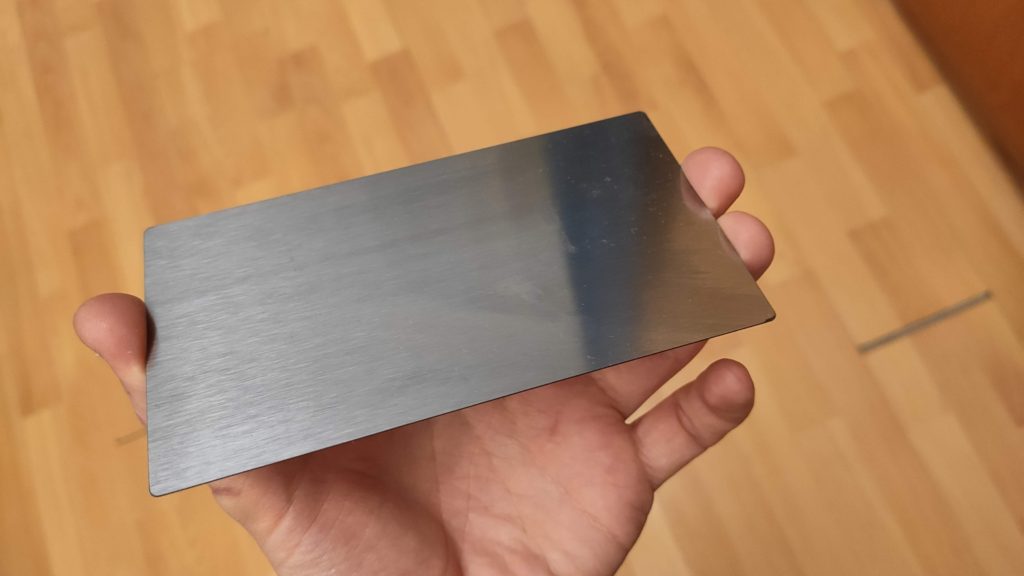
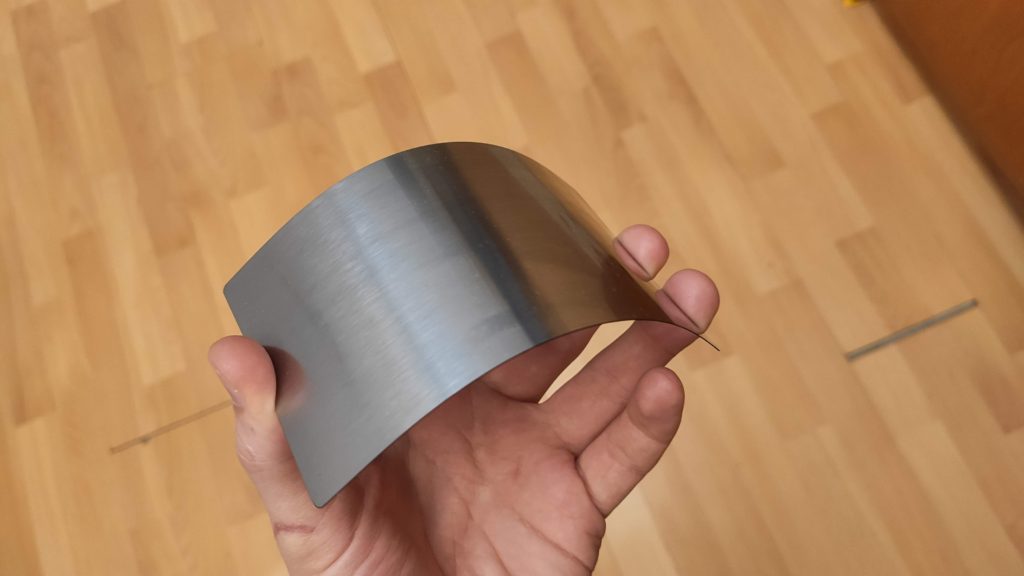
First of all, I used an ordinary galvanized steel sheet in my first experiment. It is really not suited for the task since it is soft and once you bend it stays deformed. The proper choice is the spring steel sheet – it is flat enough and you can bend it as you want. However, since it is hardened steel, you cannot machine it easily. Fortunately, there are companies laser cutting an arbitrary shape out of them on laser or water cutter. The sheets are pretty cheap to make – I made them in a small quantity and depending on the material the price for a single piece was 1-2.5€/piece including shipping. So I made the sheets 2 mm larger than the build platform with a 2mm radius on the corners. This way, there a flange you can press on to remove the sheet from the build plate.
The 0.3mm spring steel sheet
See how flexible it is.
I experimented with different thickness – 1 mm, 0.5 mm, 0.3 mm and 0.2 mm. 1 mm is practically unusable, as it is hard to bend in hand. 0.5 mm is usable, but I prefer much more 0.3 mm. 0.2 mm is my choice for extremely fragile prints.
Many people report print adhesion problems on the Elegoo Mars build platform. The build platform is sand-blasted anodized aluminum. Some of them report that sanding of the build platform flat helps. I have never experienced adhesion problems; however, I also sanded my build plate to make it perfectly flat which allowed me to print PCB stencils. Since then I face another problem – my prints stick too well and it is sometimes nearly impossible to take them off the build platform undamaged.
I thought; would it be possible to mimic what Prusa on FDM printers do? That is to attach a flexible steel sheet to the bottom of the platform so once you finish the print, you put the sheet down, bend it and get the prints off the build plate easily? I decided to give a shot. Note that this setup is different from other SLA machines, which claim to have a build plate attached via magnets.
So I designed a simple prototype (probably not suitable for long runs). My goals were the following: make it as simple as possible and to avoid irreversible modification of the build platform as currently, you cannot buy a spare one.
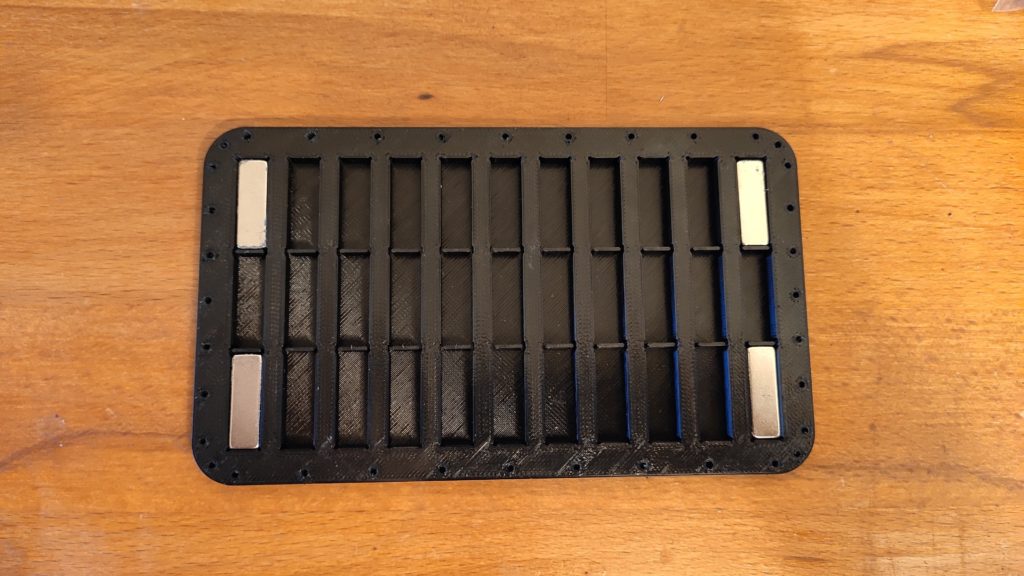
I decided to attach the sheet using neodymium magnets. I designed two simple FDM printed pieces: one plate with pockets for the magnets and one clamp to hold the plate on the bottom of the build plate. You can find my Fusion 360 drawing here.
I put plenty of pockets for magnets as I wasn’t sure how many of them are really necessary to hold the sheet. I have plenty of magnets at home, unfortunately, I accidentally chose a magnet size from which I have only 4 pieces. So it broke my plans with many pockets. But I decided to give it a shot anyway with just 4 magnets. Surprisingly, the 4 magnets hold the sheet quite good (sorry, no precise measurements here). You can find pictures of the assembly below:
The LCD used for printing on Elegoo Mars is RGB – there are three subpixels – red, green and blue. Since the backlight LED produces a quite narrow range of wavelengths (peaking around 405nm), only the blue filter passes the light. That means that 2/3 of the backlight power is wasted to the LCD. Also, it means that only 1/3 of the pixel is exposed and the rest is hardened only via exposure bleeding – the effect we, on one hand, want to eliminate, on the other hand, it is essential for properly working screen. After my modification, which removed the protective glass, you can see on my prints under a microscope the effect I mentioned – 1/3 of the voxel is nice and sharp, the remaining 2/3 are smudgy.
There were recently announced printers with monochromatic LCD. They feature low exposure times (around 2 seconds) with less power than Elegoo Mars. However, their LCDs have poor resolution.
So I was wondering – would it be possible to turn Elegoo Mars LCD to a monochromatic one?
The LCD stack up
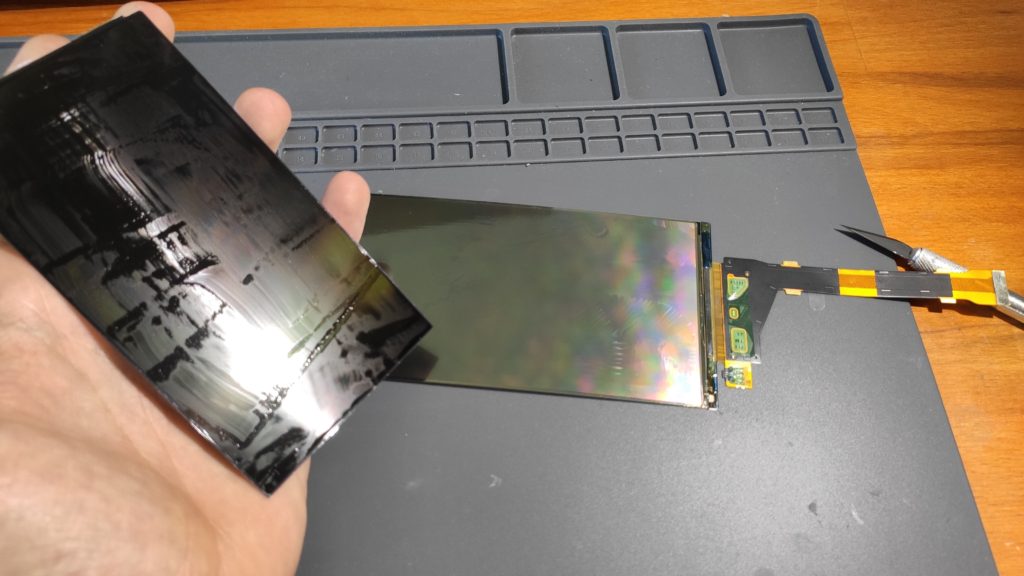
First, I examined the LCD. I figured out that the two most outer layers are the polarizer. They are not glued, they hold similarly like to protective glass. Then there is a bottom plastic film with the pixel electrodes (I am sorry for not providing pictures, however, I was not able to take them from the microscope). Then there is a glass layer – on one side (the top side) it is covered by ITO – a conductive clear coating. On the bottom side, there is a layer of color filters. Between the glass and plastic film is a layer of liquid crystals, more specifically between the plastic film and the filters.
One important part – the ITO layer is connected to the plastic film via a conductive ink – see photo below.
The procedure
Having experiences with disassembling LCDs before, I know how to separate the glass from the plastic film. Just use a fresh Xacto knife and slide it between the layers, move along the perimeter and the layers separate:
In one of the recent posts I printer a solder paste stencil. The print is challenging as it contains small details, is thin and prints directly on the build plate. Even I use the same exposure on the first layers as did on the other layers, the first layer showed some exposure bleeding.
The hypothesis is that the silver surface of the build plate reflects the light, which cures the resin, and therefore more resing gets cured. I was thinking about getting really dark black paint and to paint the build plate. One of my readers, Zemerick (thank you!), brought up that Vantablack cannot be used (as it is a fragile forest of carbon nanotube), but Black 2.0 or 3.0 is just acrylic paint with a lot of pigment. So I got Black 3.0 and painted half of my build plate:
Half of the build plate painted by Black 3.0
The paint can get be scratched easily (you can see the test scratches), so I was afraid it would peel of. To my surprise – it didn’t. But the test print didn’t stick to painted plate:
A few months ago there was a tweet discussing printing solder paste stencils on a 3D printer. Someone suggested we should try it on an SLA printer. After two months I did the experiment.
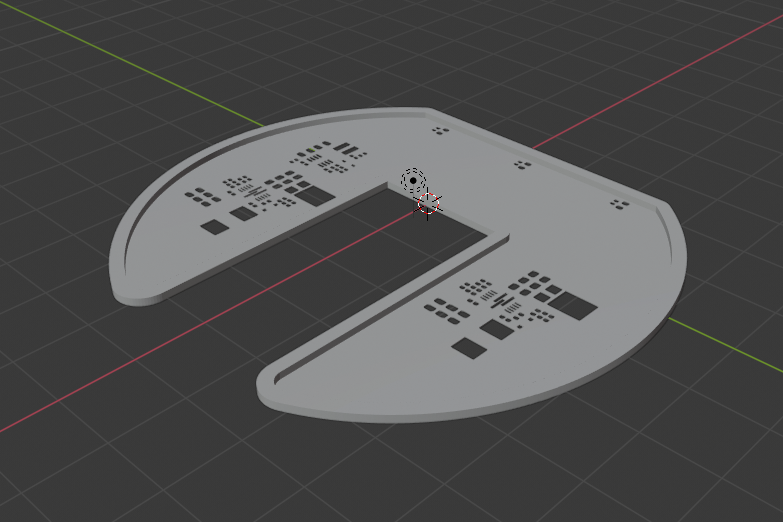
First of all, I struggled a little to get the 3D model of the stencil. There is a service https://solder-stencil.me/ which is supposed to generate the models of the stencils from gerber files. Unfortunately, when I uploaded the gerbers of my board, the model I got was completely broken. So I decided to write a custom tool. The easiest way was to use OpenSCAD (and finally an opportunity to learn it!).
So I wrote a short OpenSCAD script which takes two DXF files on the input – one for the outline and one for the holes. It also takes information on whether to generate a front or a backside stencil. You can also supply custom thickness, frame thickness, etc. If you use KiCAD I also wrote a simple Python script to export all the necessary files (which allows you to use Makefile to generate all the manufacturing data!) For the reason to me unknown, sometimes OpenSCAD produces corrupted STL files. Therefore I use admesh to post-process the STL files.
I wrote several posts on the precision of the Z-axis and gaining the precision in the XY direction on Elegoo Mars. However, last week I wanted to print models that feature narrow rectangular holes – roughly 0.2 x 0.3 mm. I thought it will be trivial – I have well explored the problem of exposure bleeding and wrote a tool for its compensation.
However, my first experiments were a complete failure. I used Elegoo standard grey and Siarya Fast grey – both without acceptable results. See the photo below (left first results, right expected results). Practically all the holes were rounded and closed in the bottom. No matter how big compensation I used, I got the same result. And when you think about it, it makes sense – the exposure bleeding rounds the sharp corners. If I compensate for it, I might get the correct dimensions of the holes, but I cannot get sharp corners.